
Default Billing Template
Versions prior to 7.2 only had one bill email template for all bill types.
Now you are able to set custom templates for any/all bill types (invoices, receipts, estimates, quotes, etc..)
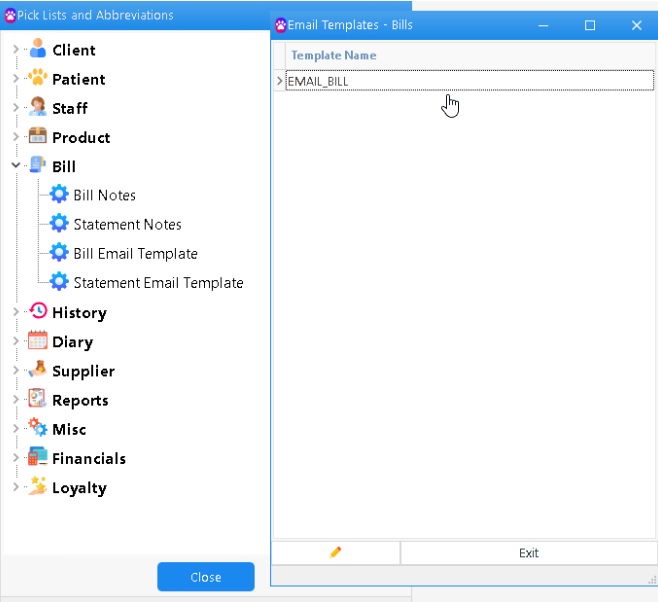
Custom Templates
To enable this feature go to Options -> Setup -> Bill -> Master/Branch tab -> Tick Allow Custom Email Templates
To create a Custom template then go to
Options -> Picklists Setup -> Bill -> Bill Email Templates -> Click + to create new template
If you want the template to be selected by default when sending, the below template names must be used.
| Bill Type | Template Name |
| Tax Receipt | Email_BILL_RCT |
| Tax Invoice | Email_BILL_INV |
| Quote | Email_BILL_QOT |
| Estimate | Email_BILL_EST |
| Refund Bill | Email_BILL_REF |
| Credit Note | Email_BILL_CRD |
| Credited Bill | Email_BILL_DBT |
| Account Fees | Email_BILL_FEE |
Once the template is created when an invoice is finished and you select email you will be prompted to select a template.
It will default to corresponding template for that bill type if template names above have been used.